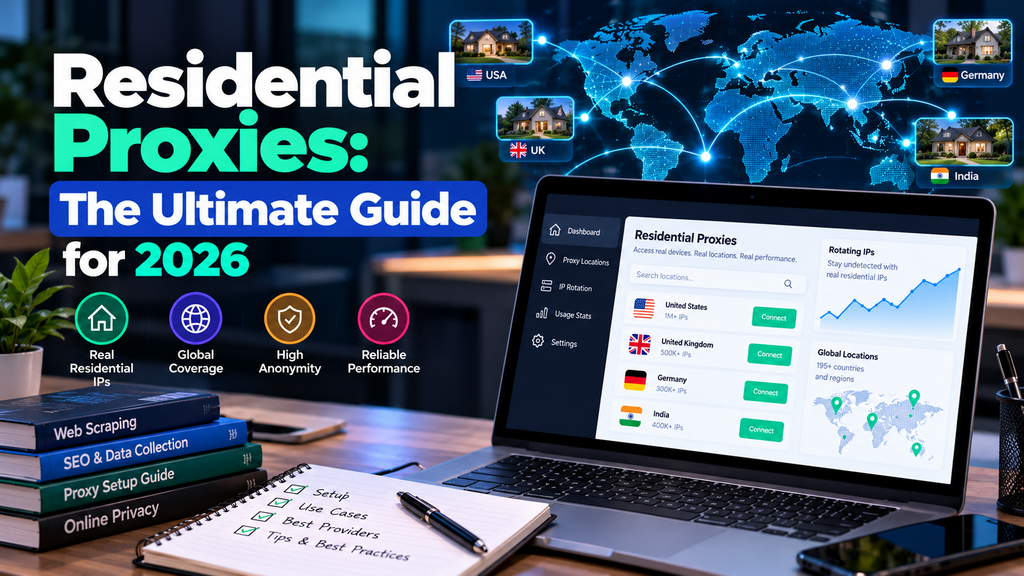
Dan runs a small price-comparison startup in Austin. For months, his scraper worked beautifully on a handful of retail sites. Then, almost overnight, pages started coming back empty, CAPTCHAs multiplied, and the prices he did collect looked suspiciously different from what he saw in his own browser. His servers hadn’t changed. The websites had simply decided his traffic didn’t look like a customer’s.
Dan is an illustrative example, not a real client. His situation is typical of how people first discover residential proxies.
If you’ve hit something similar, or you’re simply trying to understand what all the fuss is about, this guide is your map. It explains the whole topic in one place: what residential proxies are, how they work, the types available, what they’re used for, how to choose a provider, what they cost, and where the legal and ethical lines sit. Each section links out to a deeper article when you want more detail, so read straight through or jump to what you need.
Start here: pick your path
| If you are… | Go to |
| Completely new to proxies | Read the basics below, then our beginner’s guide to what residential proxies are |
| Choosing between proxy types | Jump to the comparison section, then residential vs. datacenter and residential vs. mobile |
| Ready to buy | Read the sourcing, pricing and buyer’s checklist sections, then our provider reviews |
| Working on a specific project | See the use-case section for scraping, ad verification, SEO monitoring and more |
| Worried about legality | Go straight to the legal section, then our legal considerations guide |
The basics in plain language
A proxy is a middleman for your internet traffic. Instead of your device contacting a website directly, your request goes to the proxy first, and the proxy contacts the website for you. The site sees the proxy’s IP address, not yours.
A residential proxy is a proxy that uses an IP address assigned by an internet service provider to a real household or mobile device. To the website, you look like an ordinary person browsing from home. If you want the full beginner walkthrough, our guide to what residential proxies are covers it step by step.
The “residential” label matters because websites treat IP addresses differently depending on where they come from. Traffic from cloud and hosting servers (datacenter IPs) gets extra suspicion, since real shoppers rarely browse from a server rack. Traffic from consumer ISP ranges blends in. That trust is what you are paying for.
How residential proxies work
When you send a request through a residential proxy network, it follows a simple path: you connect to the provider’s gateway, the provider selects a residential IP matching your settings (country, state, city), your request exits through that device’s connection, and the website’s response comes back the same way.
Two settings shape your experience most. Rotation changes the IP automatically, either on every request or at set intervals. Sticky sessions hold the same IP for a few minutes so you can log in or finish a multi-step task. Targeting options, such as country-level, state-level or city-level, determine where the website thinks you are. For the technical detail, including a code example, see our explainer on how residential proxies work.
The proxy family: how residential compares
Residential proxies are one of four common commercial types. Choosing between them is usually the first real decision a buyer makes.
| Type | IP source | Strength | Weakness |
| Residential | Home connections via consumer ISPs | High trust, flexible location targeting | Costlier, variable speed |
| Datacenter | Cloud and hosting servers | Fast and cheap | Easier for sites to detect and block |
| ISP (static residential) | ISP-registered IPs hosted on servers | Stable IP with strong trust and good speed | Fixed IP, priced per address |
| Mobile | 4G/5G carrier networks | Very high trust, especially on mobile-first platforms | Usually the priciest tier |
A practical rule many practitioners share: use datacenter proxies for unprotected sites and APIs, residential proxies for heavily defended targets such as major e-commerce and social platforms, and ISP proxies when you need one stable IP across a logged-in session. Starting cheap and upgrading only when blocks start costing you real time or money is the smartest approach. Our deeper comparisons of residential vs. datacenter proxies and residential vs. mobile proxies help you pick.
Rotating or static?
Rotating pools suit tasks that need many different IPs, such as collecting public data at scale. Static or sticky options suit tasks that need consistency, like managing an account or completing a checkout. Using the wrong one is a classic beginner error: rotation will log you out mid-purchase, while a static IP hammering one site will get flagged quickly. We compare them in detail in our guide on rotating vs. static residential proxies.
What residential proxies are used for
Every legitimate use case shares one trait: it needs traffic that looks like a real consumer’s. Here are the main ones.
- Web scraping and data collection. Gathering public information such as product listings, reviews and listings without constant blocks. Our silo of web scraping guides covers this in depth.
- Price monitoring. Many sites show different prices to datacenter traffic than to real shoppers, so residential IPs reveal what customers actually see. This was Dan’s problem.
- Ad verification. Checking that ads appear correctly, in the right places, to the right local audiences.
- SEO and SERP monitoring. Search results vary by city, so local rankings are checked from local IPs.
- Geo-testing. Confirming how a site, app or checkout behaves for users in different regions.
- Brand protection. Finding counterfeit listings and unauthorized sellers that only appear in certain markets.
- Social media and sneaker automation. Popular but the most policy-sensitive category, since platforms often prohibit automation. Read terms carefully before relying on this.
One recent trend worth noting: the appetite for fresh web data to train and ground AI systems has pushed demand for proxies up, and with it, scrutiny of how data is collected.
Locations: why geography matters
One of the biggest advantages of residential networks is location choice. Providers advertise pools spanning well over a hundred countries, and many let you target by state or city. That matters because what a user sees depends heavily on where they are: prices, ads, search results, language and availability.
For U.S. work, city-level targeting is the usual requirement, for instance checking results in New York versus Los Angeles. Our residential proxies by location guides break down country and city options. Keep in mind that advertised pool sizes are marketing figures, and quality in a specific city is something to test, not assume.
Where the IPs come from, and why it matters
Residential proxies run through real people’s connections, so sourcing is the most important question you can ask. In an ethical network, users knowingly opt in, often through an app that gives them something in return, such as an ad-free experience or payment, and they can opt out. In a poorly run one, people may not realize their bandwidth is being resold.
This isn’t just a moral point. Providers who write about the issue note that consent-based pools tend to be more stable, and that legal scrutiny is increasingly reaching buyers, not just sellers. Free proxy lists are the riskiest option of all, and are frequently malicious.
Four questions to ask any provider: How do you obtain your IPs? Can users opt out? Do you enforce an acceptable-use policy? Does the price make sense for genuinely sourced supply?
Are residential proxies legal?
In most jurisdictions, including the United States, using a residential proxy is legal. The tool is neutral; the legality depends on how the IPs were sourced and what you do with them. Breaking a site’s terms of service can lead to bans and civil disputes, and accessing systems without authorization can trigger laws like the federal Computer Fraud and Abuse Act. Collecting personal data brings privacy rules such as California’s CCPA into play.
Courts have shaped the picture for scraping publicly available data, but no ruling gives blanket permission. If your project is large-scale, involves personal information, or targets a platform that actively objects, consult an attorney. This is general information, not legal advice. Our legal considerations guide goes further.
What do residential proxies cost?
Pricing changes frequently, so use these as ballparks and confirm on the provider’s site. Most residential plans bill per gigabyte of traffic. Roundups in 2026 put typical pay-as-you-go pricing somewhere between about $2 and $15 per GB depending on provider and volume, with big-volume deals dropping lower. Static and ISP-style proxies are usually priced per IP per month instead, commonly a few dollars each. Some providers also sell subscriptions with bundled bandwidth or hybrid tiers.
Your real cost depends less on the headline rate than on three things: how heavy your target pages are, how many retries you need after blocks, and how precise your location targeting must be. Blocking images and unneeded scripts can cut data use dramatically. See our residential proxy pricing breakdown for worked examples.
How to choose a provider: a buyer’s checklist
- Sourcing transparency. Can they explain exactly how IPs are obtained?
- Pool quality in your locations. Test the specific countries or cities you need.
- Pricing model fit. Per-GB, per-IP or subscription, and whether unused traffic expires.
- Targeting and session controls. Country, state, city, rotation and sticky-session options.
- Success rate on your actual targets. A trial beats any marketing claim.
- Support and documentation. You will need both the first time something breaks.
- Compliance posture. Published acceptable-use rules and a clear stance on abuse.
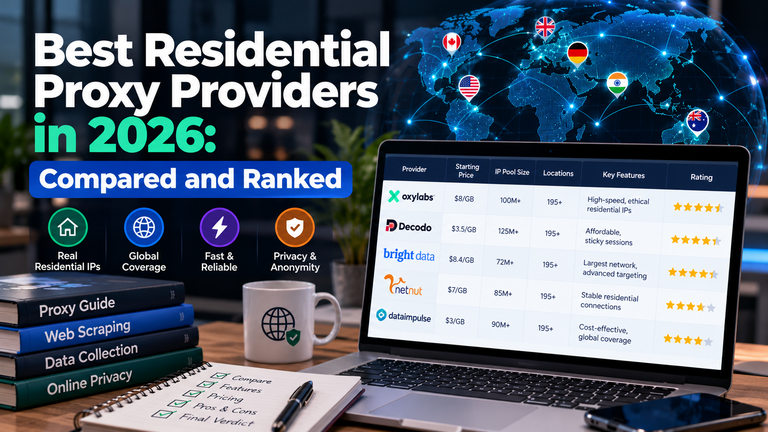
The major names in this market include Bright Data, Oxylabs, Decodo (the rebrand of Smartproxy) and IPRoyal, each with different strengths and price points. We compare them in our best residential proxy providers roundup and individual reviews.
Getting started without wasting money
- Define one task and one measurable goal, such as 100 pages loaded with fewer than 5 blocked.
- Try datacenter proxies first if the target is lightly protected.
- Choose a provider with a trial or small starter plan, and confirm the IP and location are what you requested.
- Run the test and record success rate, speed and data used.
- Scale only if the numbers hold. If not, change one variable at a time.
Dan did exactly this. He tested on five sites, found residential IPs fixed three of them, and kept the cheaper datacenter setup for the other two, trimming his bill noticeably while restoring accurate prices.
Limitations to keep in mind
- A residential IP is not an invisibility cloak. Modern anti-bot systems also look at browser fingerprints, behavior and timing.
- Speed varies because you rely on consumer connections.
- Shared pools can carry reputation baggage from other customers.
- Costs scale with traffic, so unmonitored scripts can burn through budget.
Your learning roadmap
This hub sits at the center of a larger library. A sensible reading order: start with what residential proxies are and how they work, then the type comparisons, then pricing, then the use case that matches your project, and finally the provider reviews when you are ready to buy. Beginners may also like the proxy beginner’s guide and the proxy security guide.
Frequently asked questions
What are residential proxies used for?
Mainly for tasks that need traffic to look like real consumers: web scraping, price monitoring, ad verification, local SEO checks, geo-testing and brand protection.
Are residential proxies better than datacenter proxies?
They are harder to detect, but also slower and costlier. Datacenter proxies are better when the target site doesn’t block server traffic.
How much do residential proxies cost?
Commonly a few dollars per gigabyte, with wide variation by provider and volume. Static options are often priced per IP per month.
Is it safe to use residential proxies?
Paid services from transparent providers are generally fine for normal use. Avoid free lists, and never send sensitive logins through a proxy you don’t trust.
Can residential proxies be detected?
Sometimes. The IP looks ordinary, but sites also examine fingerprints and behavior, so a careless setup can still be caught.
What’s the difference between residential proxies and a VPN?
A VPN encrypts your whole connection for personal privacy. A residential proxy routes chosen traffic through real-user IPs for location control and scale.
Do I need a residential proxy?
Only if cheaper options keep getting blocked, or you need to see the web as a local user in a specific place.
About the Author

4 thoughts on “Residential Proxies: The Ultimate Guide for 2026”