Picture Maya, a marketing manager at a mid-sized online retailer in Chicago. Her team is running a paid search campaign aimed at shoppers in Dallas, Atlanta and Phoenix. Everything looks fine in the dashboard. But when she searches for her own product from the office, she sees Chicago results. She has no idea what a Dallas shopper actually sees, or whether her ad is even showing up.
Maya is an illustrative example, not a real client. I’m using her to show how this technology gets used in practice.
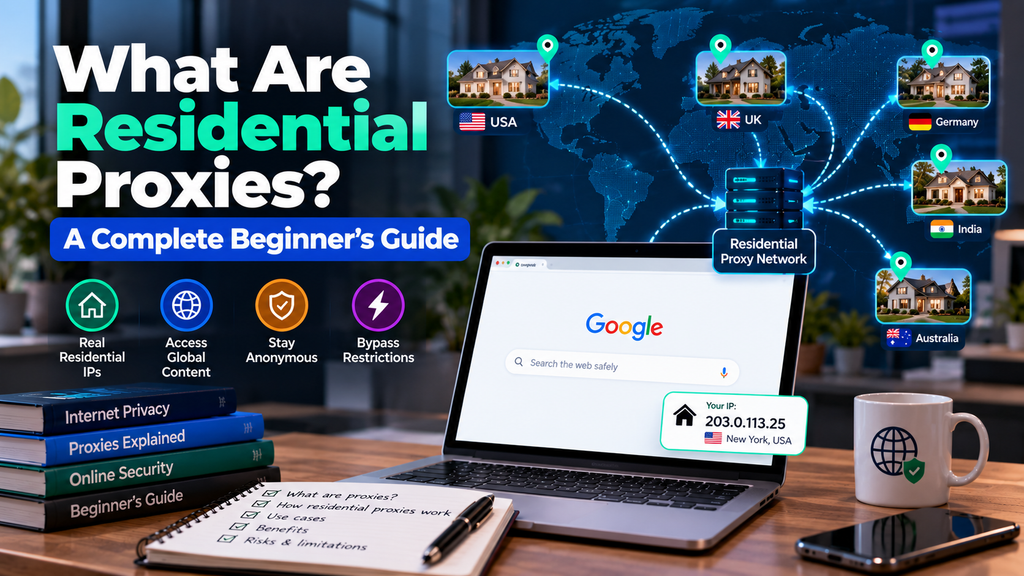
This is the kind of problem residential proxies were built for. And if you’ve landed here, you’ve probably run into your own version of it: a website that blocks you, a price check that won’t load, a tool that insists you’re a bot. This guide explains what residential proxies are in plain language, how they work, where they come from (the part most guides skip), what they cost, and how to decide whether you need one at all.
The short answer
In one paragraph: A residential proxy is an intermediary server that sends your web traffic out through an IP address that an internet service provider (ISP) assigned to a real home. To the website on the other end, your request looks like it came from an ordinary household, not from a data center. That’s why residential proxies are harder to detect and block than other proxy types, and why they cost more.
First, what is a proxy?
Before the “residential” part, let’s cover the basic idea. Every device online has an IP address, a number websites use to know where to send data back. When you visit a site normally, it sees your IP address and can guess roughly where you are and which ISP you use.
A proxy sits in the middle. Instead of your device talking to the website directly, it talks to the proxy, and the proxy talks to the website for you. The website sees the proxy’s IP address, not yours. Think of it like asking a friend in another city to make a phone call on your behalf. The person who picks up hears your friend’s number, not yours.
Proxies come in several flavors, and the differences come down to one question: whose IP address are you borrowing? That’s what separates residential proxies from the rest.
What makes a proxy “residential”
There are two broad families of IP addresses on the internet. Datacenter IPs belong to cloud and hosting companies. They live in server farms. Residential IPs are handed out by consumer ISPs, such as Comcast Xfinity, Spectrum, AT&T or Verizon in the United States, to households and mobile customers.
Websites know the difference. Anti-bot systems keep lists of datacenter IP ranges, and traffic from those ranges gets extra scrutiny: more CAPTCHAs, tighter rate limits, sometimes an outright block. A residential IP doesn’t raise the same flag, because millions of real people use addresses like it every day. As one proxy provider’s glossary puts it, these IPs are hard to tell apart from regular visitors browsing from their home network.
So a residential proxy is simply a proxy that routes your traffic through one of those home or mobile IPs. You get the trust that comes with a real person’s connection, plus the ability to choose where that connection appears to be.
How residential proxies work, step by step
You don’t need to be technical to follow this. Here’s what happens behind the scenes when you send a request through a residential proxy network:
- You connect to the provider’s gateway. You get an address, a port and login details (a username and password, or your own IP whitelisted). Your browser, scraper or app is told to send traffic there.
- The provider picks a residential IP. Based on your settings, such as country, state or city, the network chooses a device from its pool.
- Your request travels through that device’s connection. It leaves the internet from the home or mobile IP, not from yours.
- The website responds to that IP. It sees what looks like a normal visitor and sends the page back.
- The response returns to you through the same path.
The detail that matters most is rotation. Many providers can switch you to a new IP on every request, or hold one IP for a set period (a “sticky session”) so you can stay logged in or finish a multi-step task. We’ll cover those types in a moment.
If you’ve ever set up a proxy in code, it’s usually only a few lines. Here’s the idea in Python:
import requests
proxy = “http://USERNAME:PASSWORD@gateway.example-provider.com:8000”
proxies = {“http”: proxy, “https”: proxy}
r = requests.get(“https://httpbin.org/ip”, proxies=proxies)
print(r.text) # shows the proxy’s IP, not yours
That final line is also the simplest test you can run: if the IP printed isn’t yours, the proxy is working.
Where do residential proxy IPs actually come from?
This is the question most beginner guides gloss over, and it’s the one that matters most. Those IPs belong to real people. Someone has to have agreed to let their connection be used.
In a well-run network, they did. The mainstream model is an exchange: an app developer includes a software kit (SDK) that lets the proxy network use a small slice of a user’s idle bandwidth, and the user gets something in return, such as an ad-free app, a free service or direct payment. The user is told what’s happening and can opt out. Industry writers describe this as informed, opt-in consent.
In a badly run network, they didn’t. Some providers have built pools from software that users didn’t understand they were running, or from devices that were compromised. Free proxy lists are the worst offenders. Providers who write about this topic consistently warn that free residential proxies are almost never sourced ethically and are sometimes outright malicious, logging traffic or stealing credentials.
Why you should care even if you’re “just a buyer”
- Reliability. Consent-based pools tend to be more stable, because the devices belong to engaged users rather than being abused.
- Legal and reputational risk. Questions about data sourcing are increasingly reaching the companies that buy data-collection tools, not only the ones that build them. “We just bought the proxies” is a weaker position than “we used a provider with documented consent.”
- Plain decency. Your traffic is going through someone’s home internet. It’s reasonable to want them to know about it.
Questions worth asking any provider
- How do you obtain your IPs? A good provider names its model (rewarded SDKs, consent networks, licensing) instead of staying vague.
- Can end users opt out, and do they know they’re participating?
- Do you publish an acceptable-use policy and enforce it?
- Is the price believable? Unusually cheap “premium” residential proxies from an unknown seller deserve suspicion, although low price alone doesn’t prove bad sourcing.
The main types of residential proxies
“Residential proxy” is an umbrella term. When you shop, you’ll see these variations:
| Type | How it behaves | Good for |
| Rotating residential | Assigns a new IP for each request or at set intervals | Large-scale data collection, price monitoring, SERP checks |
| Sticky / static session | Holds the same IP for a defined time, often minutes | Logins, checkout flows, multi-step tasks |
| Mobile residential | Uses IPs from mobile carriers (4G/5G) | Mobile-first platforms and apps, mobile ad checks |
| Static residential (ISP proxies) | A fixed IP hosted in a data center but registered to an ISP | Long-lived accounts where a stable IP matters |
| Shared vs. dedicated | Shared means other customers use the same IPs; dedicated means they’re reserved for you | Dedicated suits sensitive, reputation-dependent work |
Don’t worry about memorizing this. Our deeper articles on rotating vs. static proxies and residential vs. mobile proxies cover the trade-offs. For now, just know that the main choice is between changing IPs often (scale and variety) and keeping one IP (consistency).
Residential vs. datacenter proxies
This is the comparison beginners ask about most, so here’s the honest version:
| Residential | Datacenter | |
| IP source | Real home and mobile connections via ISPs | Cloud and hosting servers |
| Detection risk | Lower; looks like ordinary users | Higher; ranges are well known and often filtered |
| Speed | Moderate; depends on the home network | Typically faster and more consistent |
| Cost | Higher, often billed per GB | Lower, often billed per IP |
| Best for | Protected sites, geo-specific checks, ad verification | Speed-sensitive jobs on sites with light protection |
A practical rule: If the site you’re working with doesn’t block datacenter traffic, use datacenter proxies and save the money. Residential proxies earn their price when datacenter IPs get blocked, or when you need to appear in a specific real-world location.
And what about a VPN?
A VPN also changes your visible IP, but it’s built for personal privacy: it encrypts your whole connection and typically gives you one shared server address among many users. A proxy is built for control and scale. You can route specific apps or scripts through it, switch IPs automatically and target locations at a fine level. A VPN is for protecting yourself on public Wi-Fi. A residential proxy is for seeing the web, or collecting public data from it, the way a local would.
What people actually use residential proxies for
Back to Maya. Here’s how her problem, and others like it, get solved:
Ad verification
Maya’s team routes test searches through residential IPs in Dallas, Atlanta and Phoenix. Now she sees the same ads and results those shoppers see, and can confirm her campaign is showing where it should. Ad verification is one of the most common uses of residential proxies, because it requires looking like a genuine local user.
Price and market monitoring
Retailers and comparison sites track competitor pricing. Many e-commerce sites show different content depending on location or flag high-volume datacenter traffic, so residential IPs capture what real shoppers actually see.
SEO and SERP tracking
Search results vary by city. Agencies use residential proxies to check local rankings from the searcher’s point of view instead of relying on an approximation.
Public web data collection
Researchers and businesses gather publicly available data, such as product listings, reviews and public records. Sites that rate-limit or block server traffic tend to be more tolerant of residential traffic.
Geo-testing and content checks
Developers and QA teams verify that a site, app or streaming experience behaves correctly for users in different regions.
Brand protection
Companies hunt for counterfeit listings or unauthorized sellers that only appear to visitors from certain countries.
Notice the common thread: every use case depends on traffic that is indistinguishable from real consumers. If your task doesn’t need that, you probably don’t need a residential proxy.
The downsides nobody should hide from you
- Cost. Residential proxies are the more expensive option, and the bill grows with usage. A heavy page or a runaway script can burn through your data allowance quickly.
- Speed and consistency. You’re riding on someone’s home or mobile connection, so performance varies.
- Shared reputation. On shared pools, another customer’s bad behavior can get an IP flagged before you ever use it.
- Not invisible. Modern anti-bot systems look beyond the IP: browser fingerprints, behavior patterns, request timing. A residential IP helps, but a clumsy script can still get caught.
- Sourcing risk. As covered above, a cheap or vague provider can put you in an uncomfortable spot.
Are residential proxies legal in the United States?
Using a residential proxy is legal in most places, including the U.S. A proxy is a networking tool, and what matters is what you do with it. Two conditions keep you on solid ground: the IPs are ethically sourced, and the sites are accessed for lawful purposes.
Some context for U.S. readers. Breaking a website’s terms of service isn’t automatically a crime, but it can lead to account bans and civil claims. The Computer Fraud and Abuse Act (CFAA) is the main federal law on unauthorized computer access; courts have read it more narrowly in recent years, including the Supreme Court’s 2021 decision in Van Buren v. United States and the Ninth Circuit’s rulings in the hiQ v. LinkedIn scraping dispute, which concerned publicly accessible data. Those cases don’t give anyone a blank check. Privacy laws such as California’s CCPA also apply when personal data is involved.
Please note: This is general information, not legal advice. If your project involves large-scale scraping, personal data or a high-stakes platform, talk to a qualified attorney first. Our legal considerations guide goes deeper.
How much do residential proxies cost?
Pricing varies by provider and changes often, so treat any number as a ballpark and check the provider’s current page. Two models dominate:
- Per gigabyte (rotating pools). You pay for the data that flows through the proxy. Entry rates are usually a few dollars per GB, with volume discounts bringing that down. A 2025 roundup of IPRoyal’s plans, for instance, listed rotating residential starting around $4 per GB and falling to about $0.80 per GB at bulk volumes.
- Per IP per month (static residential). One guide from Pixelscan puts static residential proxies at roughly $3 to $10 per IP per month.
Three things drive your actual bill: how heavy the pages are (images and scripts eat bandwidth), how many retries you need after blocks, and how targeted your location needs to be. Block images and unnecessary resources, and your costs drop noticeably. We break the numbers down further in our pricing guide.
Do you actually need one? A quick decision guide
- You probably do if datacenter proxies keep getting blocked, you need real-user views from specific cities, or you’re verifying ads, pricing or search results as local shoppers see them.
- You probably don’t if the site is lightly protected, speed matters more than stealth, or you only need to hide your IP for casual browsing (a VPN is simpler).
- You should think twice if the plan involves bypassing a site’s security to take something it clearly doesn’t want taken. That’s a legal and ethical problem, not a proxy problem.
Common beginner mistakes
- Buying on price alone. The cheapest pool often means shaky sourcing and flagged IPs.
- Using free proxy lists. They’re slow, unreliable and sometimes malicious.
- Skipping the trial. Test on your actual target sites before committing money.
- Rotating when you needed a sticky session (and the reverse). Rotation will log you out mid-checkout.
- Ignoring bandwidth. Loading full pages with images when you only need text wastes data you’re paying for.
- Assuming the proxy does everything. Pair it with sensible request rates and realistic browser behavior.
How to try one without wasting money
Here’s the approach I’d recommend to any beginner, and it’s also what Maya’s team did:
- Define one specific task and one success measure (for example, “load 100 local search pages with fewer than 5 blocked”).
- Pick a provider that clearly explains its sourcing and offers a trial or small starter plan.
- Confirm the proxy works by checking the IP shown matches the location you chose.
- Run your small test. Track the success rate, the speed and the data used.
- Scale up only if the numbers hold. If they don’t, change one variable (location, rotation, provider) and retest.
Summary
Residential proxies route your traffic through IP addresses that real ISPs assigned to real homes and mobile devices, so websites treat you like an ordinary visitor. That makes them the go-to tool for ad verification, price monitoring, local search checks and public data collection. The trade-offs are cost, variable speed and a sourcing question you should take seriously. If datacenter proxies get the job done, use those. If they don’t, a well-sourced residential network is worth the premium.
Maya, for the record, ended up running a two-week test, found that one of her Phoenix ad groups wasn’t serving at all, and fixed it before the budget was wasted. That’s the whole point: see what your real audience sees.
Frequently asked questions
What is a residential proxy in simple words?
It’s a go-between server that uses an internet address from a real home or phone connection, so websites see you as a regular visitor instead of a server.
Are residential proxies legal?
In most jurisdictions, including the United States, yes. Legality depends on how the IPs were sourced and what you do with them. Scraping personal data or breaching a site’s access controls can create legal trouble regardless of the proxy.
Are residential proxies safe?
Paid proxies from a transparent provider are generally safe for ordinary use. Free ones are risky; some log your traffic or steal credentials. Never send sensitive logins through a proxy you don’t trust.
What’s the difference between a residential proxy and a VPN?
A VPN encrypts your whole connection and is built for personal privacy. A residential proxy routes selected traffic through real-user IPs and is built for location control and scale. They solve different problems.
Can websites detect residential proxies?
Sometimes. The IP itself looks normal, but sites also analyze browser fingerprints, behavior and request patterns. Residential IPs lower your risk; they don’t remove it.
Why are residential proxies more expensive than datacenter proxies?
Providers have to source, maintain and compensate access to real consumer connections, and traffic is usually billed per gigabyte. Datacenter IPs are cheap to produce in bulk.
Do I need a residential proxy for web scraping?
Only if your targets block datacenter IPs. Start with the cheaper option and upgrade when blocks start costing you more than the proxy would.
About the Author

1 thought on “What Are Residential Proxies? A Complete Beginner’s Guide”